Notifications & Webhooks
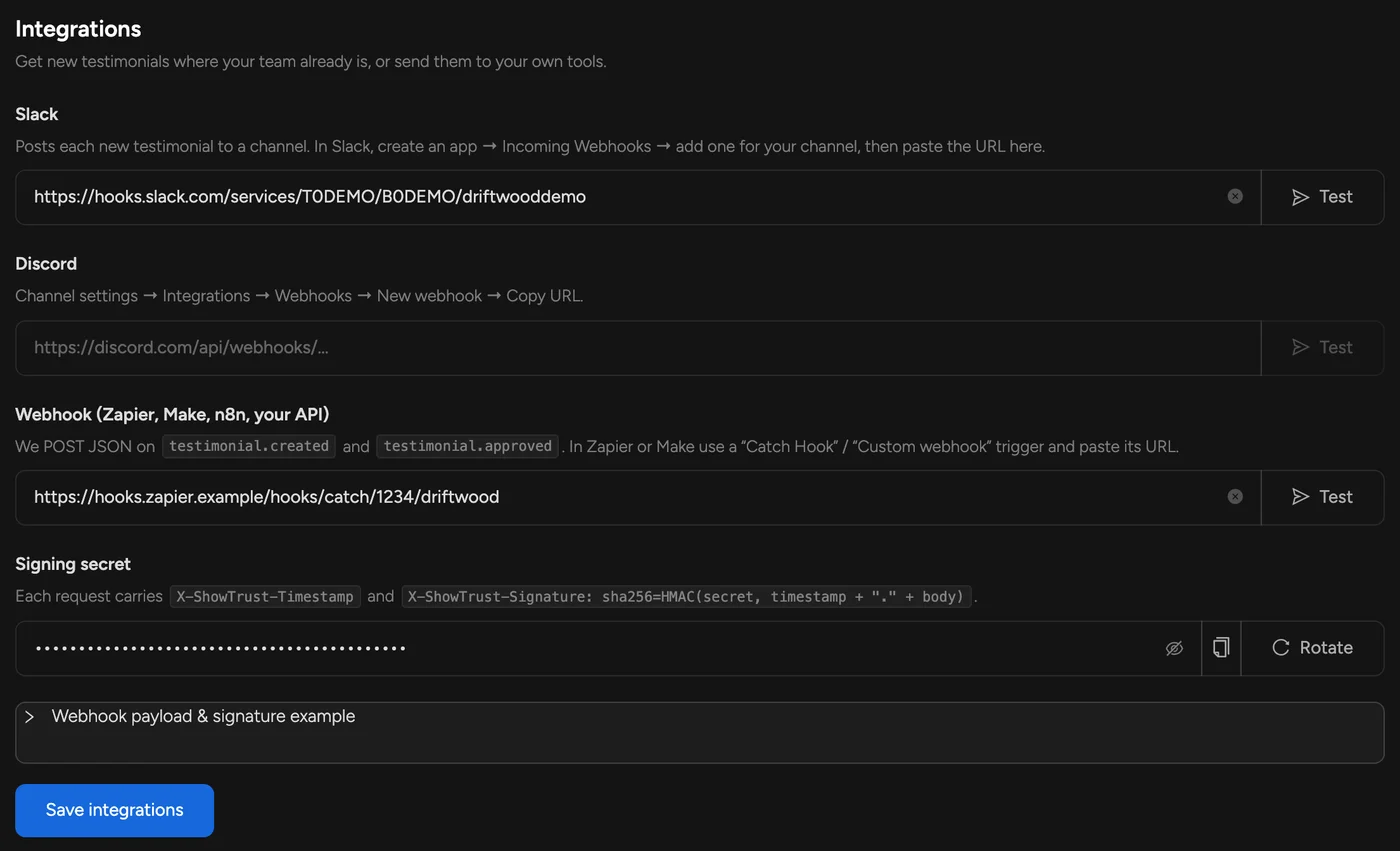
Find these under Settings → Integrations for each project. Every integration has a Test button that sends a sample testimonial so you can check it end to end.
Email#
You get an email for every new testimonial by default. Switch it off with Email me new testimonials in the testimonial form settings.
Slack#
In Slack, create an app, turn on Incoming Webhooks, add one for the channel you want, and paste its URL (https://hooks.slack.com/services/…). Each new testimonial is posted with its rating, quote, author and a Review button.
Discord#
In the channel's settings open Integrations → Webhooks → New webhook, copy its URL (https://discord.com/api/webhooks/…) and paste it in.
Webhooks (Zapier, Make, n8n, your API)#
Paste any https:// URL and ShowTrust sends a POST with JSON on two events: testimonial.created (someone submitted on your testimonial page) and testimonial.approved (you approved one). In Zapier use Webhooks by Zapier → Catch Hook; in Make use a Custom webhook. Failed deliveries are retried once.
Customer email addresses are never included.
Verifying signatures#
Each request carries X-ShowTrust-Event, X-ShowTrust-Timestamp and X-ShowTrust-Signature: sha256=… — an HMAC-SHA256 of timestamp + "." + raw body using your signing secret (shown in the dashboard; you can rotate it). Reject requests older than five minutes.
Send invites from your app#
The other direction: trigger a testimonial request from your own code (after a purchase, at the end of onboarding) with POST /v1/projects/:id/invites. Customers who unsubscribed, already responded or were asked in the last week are skipped, so it's safe to call on every event.