A hosted collection page at showtrust.to/your-name
Send one link and let customers leave a testimonial in under a minute — no account, no friction.
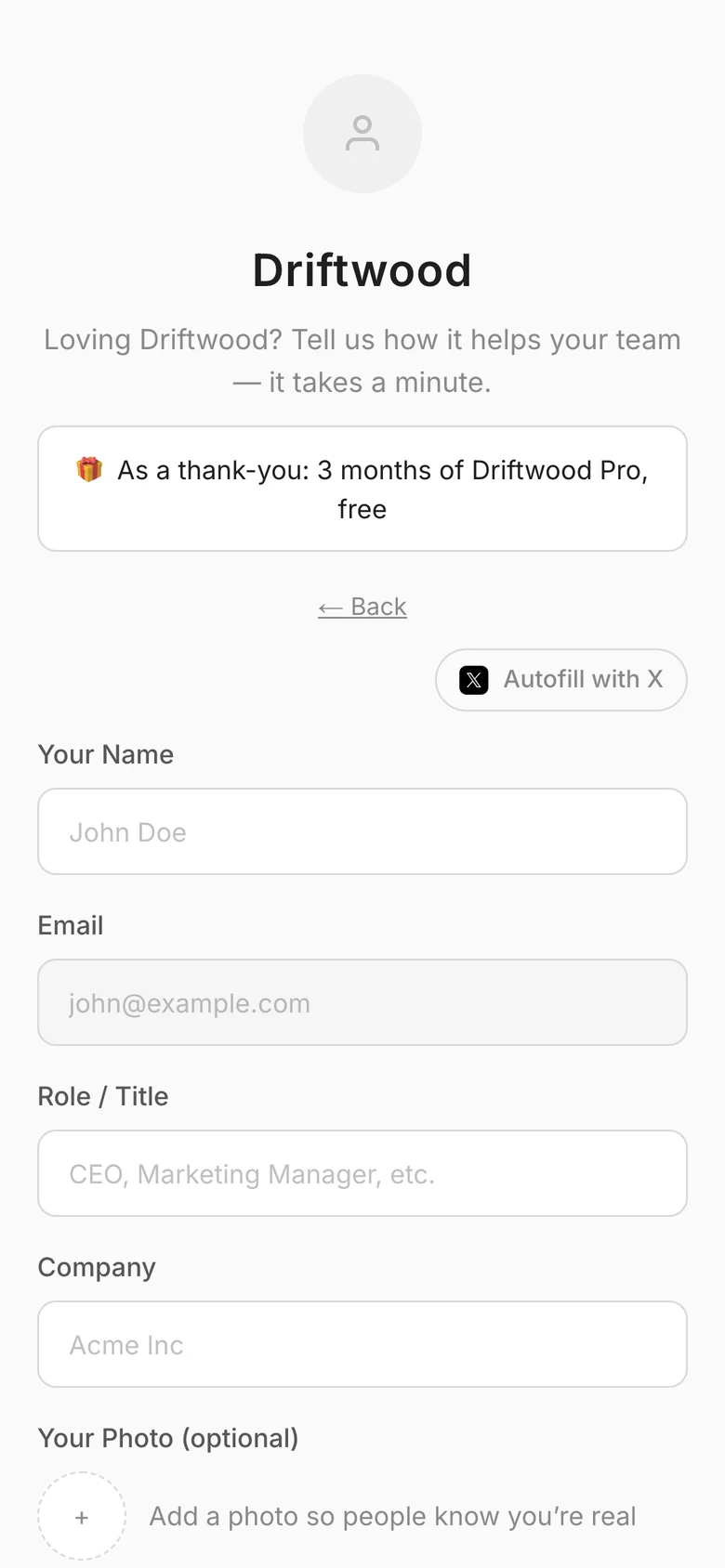
Every ShowTrust project comes with a hosted collection page at showtrust.to/your-name. It's a clean, mobile-friendly form with your logo, colours and wording, asking only for the fields you choose.
Drop the link in a post-purchase email, an onboarding step, or a Slack DM. Submissions land in your Pending tab, ready to approve and add to your Wall of Love.
The problem
Google Forms and email threads make leaving a testimonial a chore, so response rates crater. And whatever you collect lands as unstructured text you then have to format by hand.
How it works
Share your link
Send showtrust.to/your-name in an email, DM, or onboarding flow — no login required for the customer.
Customer submits
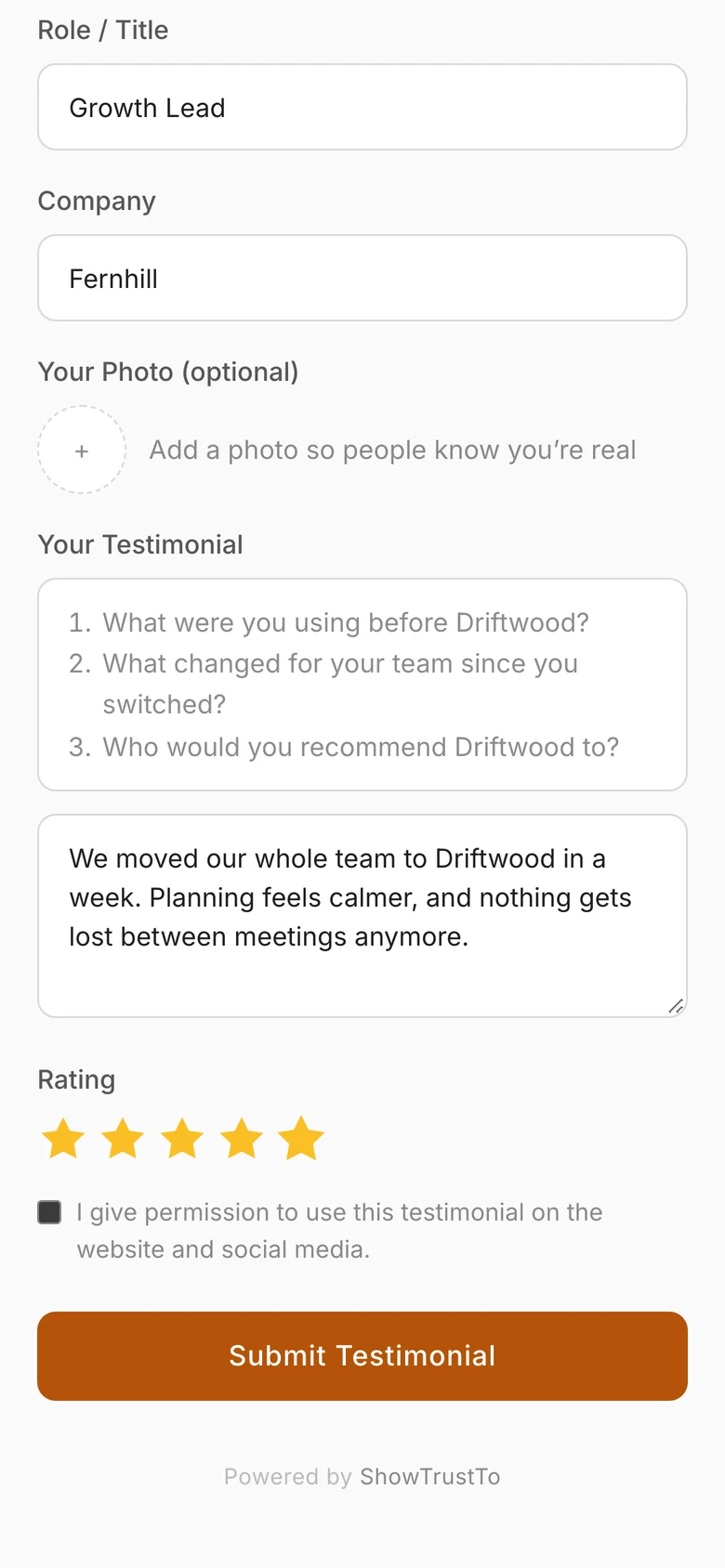
They write a few words, add a star rating and, if you ask, their role, company and photo.
Approve and publish
The submission lands in your queue; approve it and it's ready for your wall.
What you get
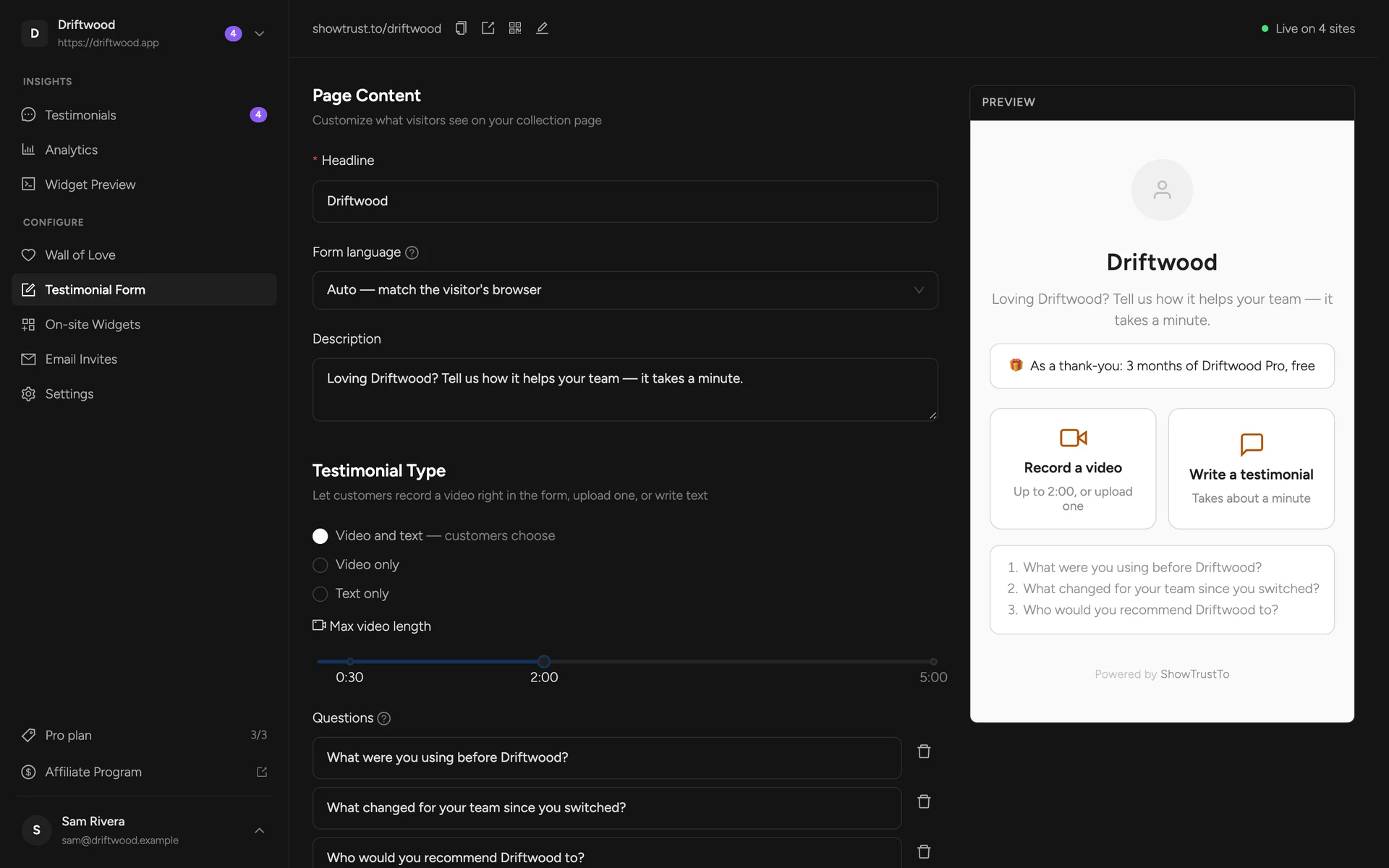
Hosted page with your logo, colours and wording — nothing to build
Choose the fields: role, company, photo upload, star rating
Up to five questions to guide what customers write or say
Text, video, or both — customers choose (video on Pro)
Optional permission checkbox, required or optional
Built-in text in 9 languages, or matched to each visitor’s browser
A printable QR code for receipts, packaging and events
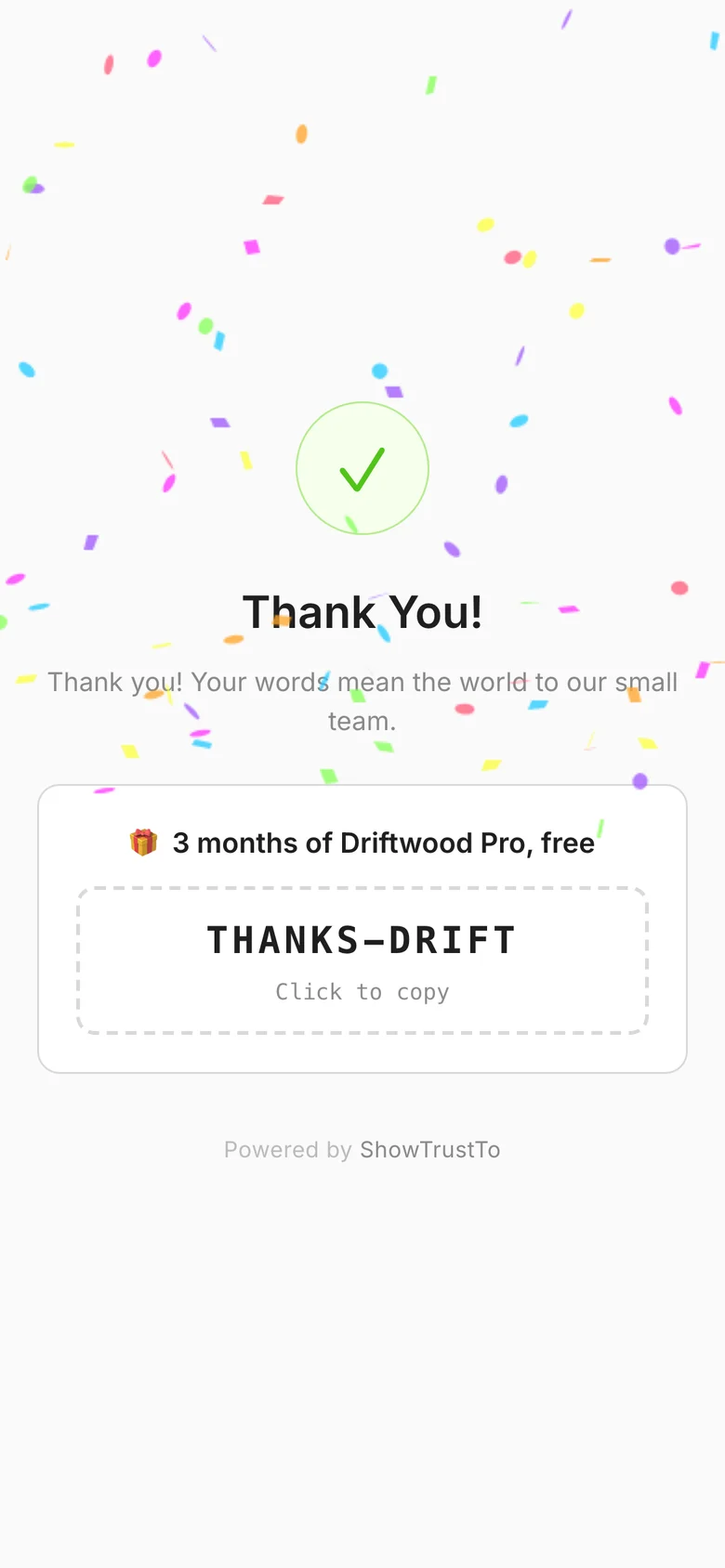
A thank-you message (with confetti), plus an optional reward
FAQs
Does my customer need a ShowTrust account?
No. They open your link, answer the prompt, and submit. No signup, no friction.
Can I customize the questions?
Yes. Add up to five questions — they appear as prompts on the form and on screen while customers record a video. You also set the headline, description, fields and thank-you message.
Can I get notified about new testimonials?
Yes. ShowTrust emails you whenever a new testimonial arrives, with a link straight to your review queue. You can switch it off in the form settings.
Related concepts
Related features
Video testimonials, recorded right in the browser
Customers record on your collection page (or upload a file) with a countdown, your questions on screen, and a retake button. No app, no video cap.
Ask for testimonials by email
Paste a list or upload a CSV, write your message, and send. Each link pre-fills the customer's name and email, with one friendly reminder.
Say thank you with a reward
Offer a coupon code or a link — a discount, a free month, a gift card — as a thank-you for every testimonial, or just for videos.
Add a Wall of Love in minutes
Collect text and video testimonials, curate the best, and embed them anywhere with one line. Free to start — no card required.