Video testimonials, recorded right in the browser
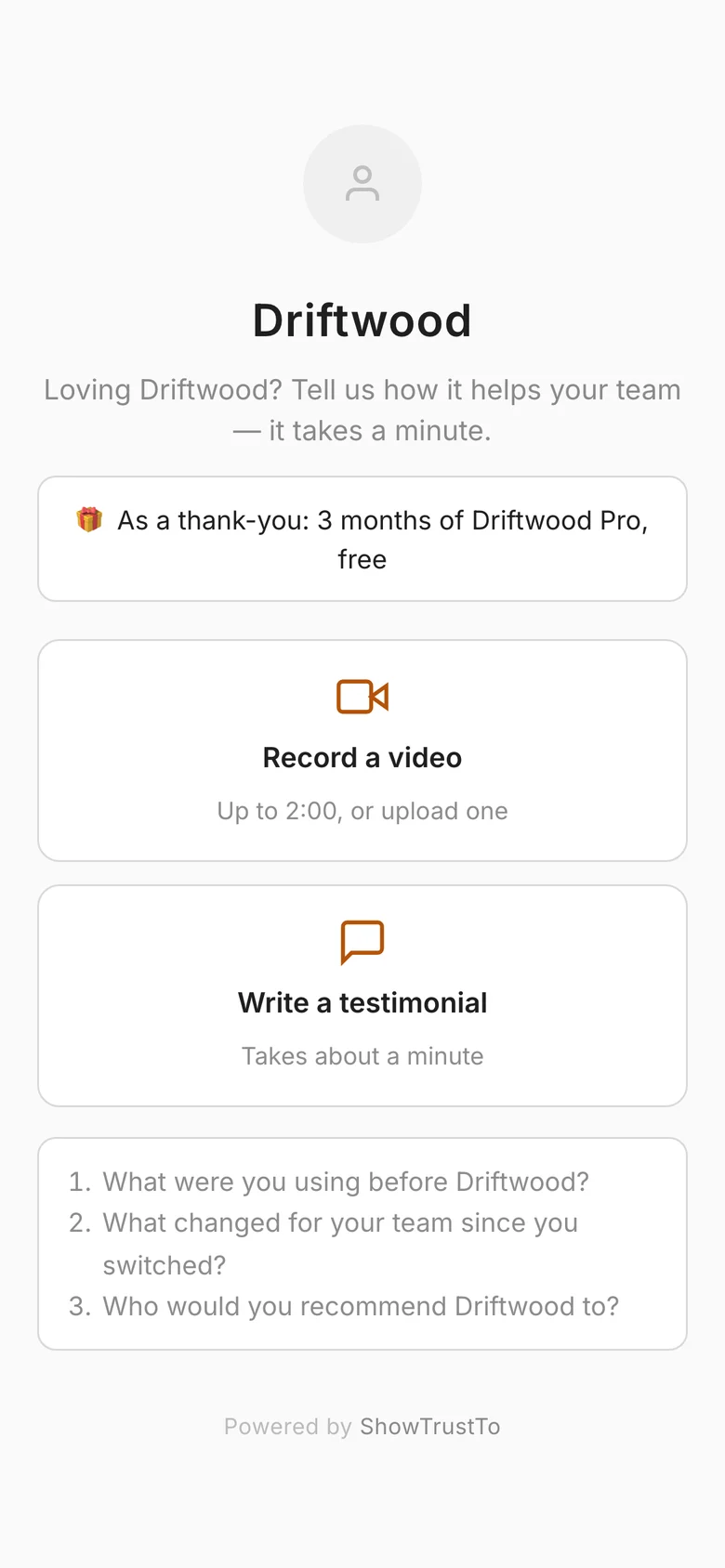
Customers record on your collection page (or upload a file) with a countdown, your questions on screen, and a retake button. No app, no video cap.
Video is the most persuasive testimonial format — a real face and voice is hard to fake and easy to trust. ShowTrust puts a recorder right on your collection page, so customers can say it on camera without installing anything.
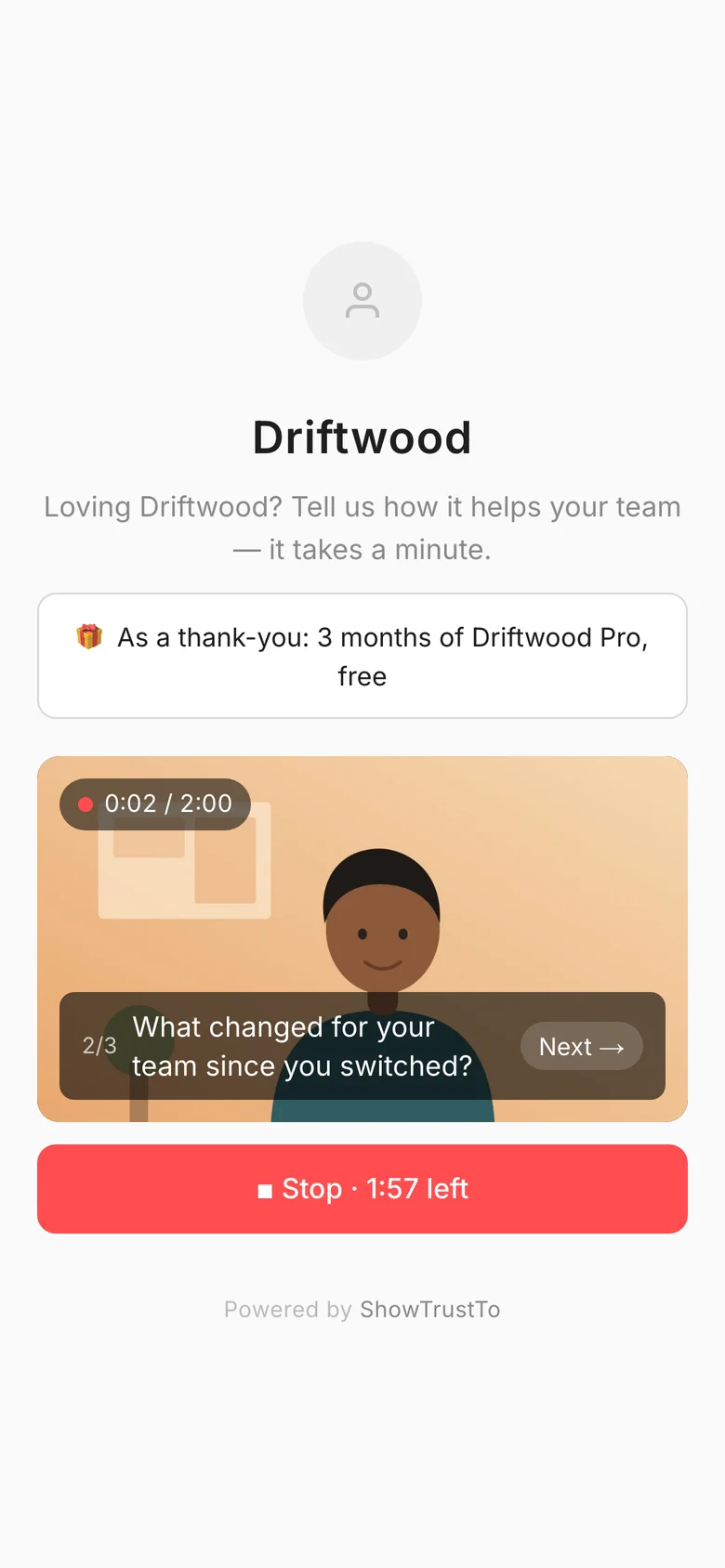
They get a 3-second countdown, your questions shown on screen like a teleprompter, and a chance to watch it back and re-record before sending. Prefer a clip they already have? They can upload a file instead.
The problem
Collecting video usually means chasing files over email, converting formats, and hosting clips somewhere — enough friction that most teams never ship a single video testimonial. And most tools cap how many videos you get before you pay a lot more.
How it works
Customer picks video
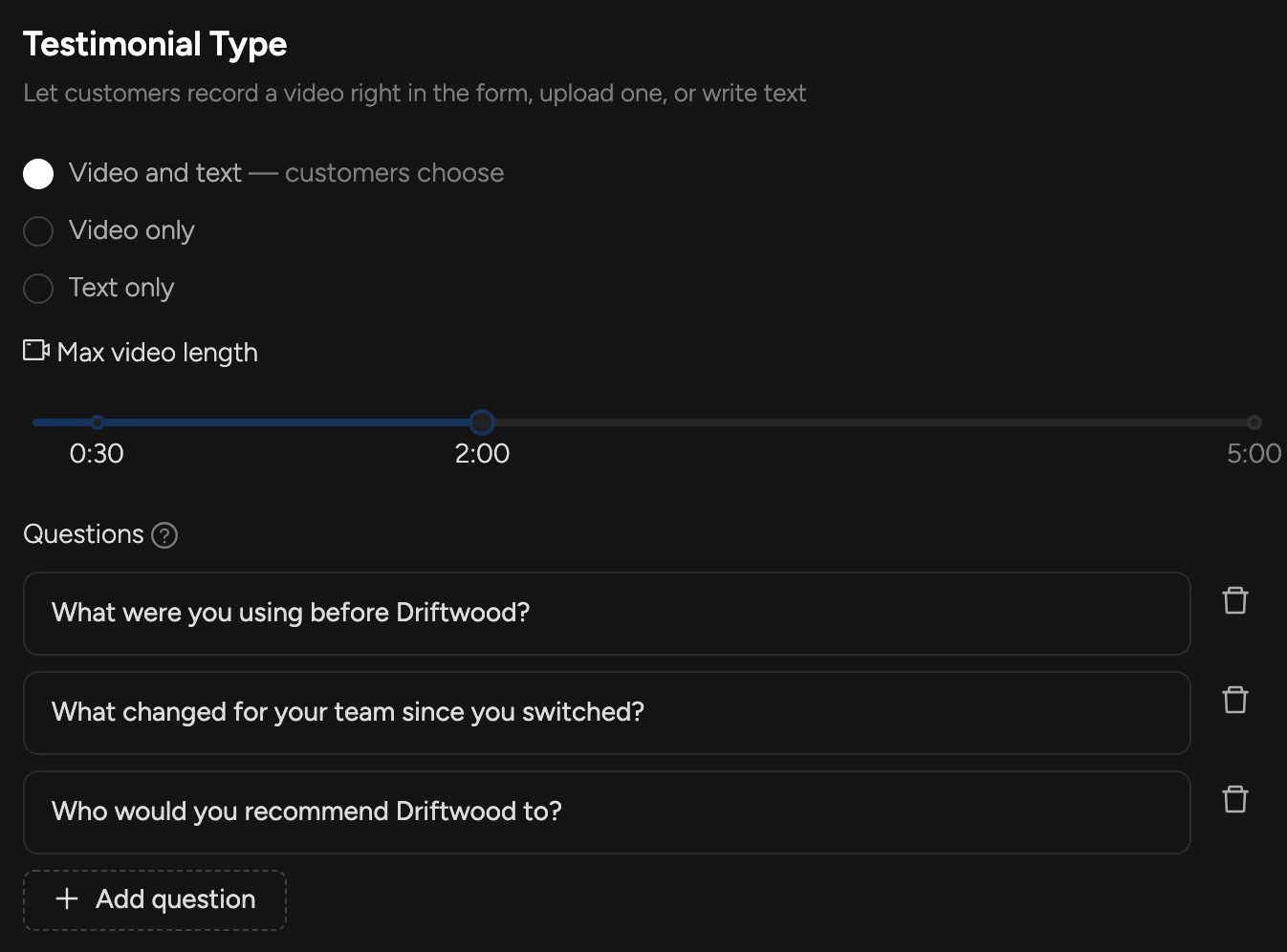
Your collection page offers “Record a video” or “Write a testimonial” — or video only, if you prefer.
Record with prompts
A countdown, your questions on screen, a timer, and a review step with “Record again”. Or they upload an MP4, MOV or WebM file.
Approve and it plays in your wall
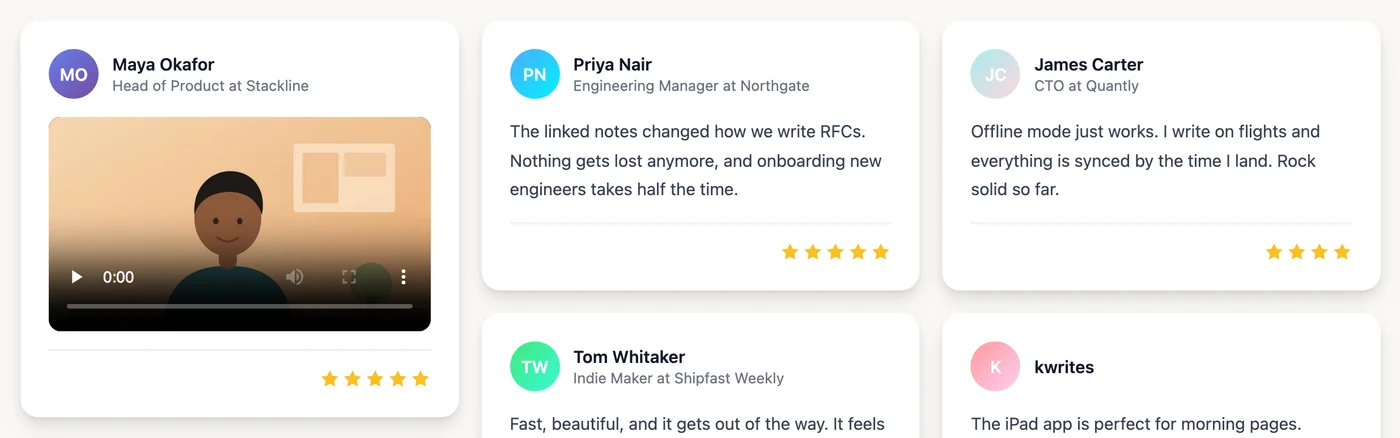
Videos land in your Pending tab with a thumbnail. Approve one and it plays inline in your Wall of Love next to written quotes.
What you get
In-browser recording on desktop and phone — nothing to install
3-second countdown and your questions as on-screen prompts
Watch back and re-record before sending, or upload a file instead
You choose the length, from 15 seconds up to 5 minutes
Star ratings and a written note work on video testimonials too
No cap on the number of videos on Pro
In the docs:
Testimonial pageFAQs
How long can videos be?
You choose, from 15 seconds up to 5 minutes. Two minutes is the default — long enough for a story, short enough that people finish.
Which plan includes video?
Video testimonials are part of Pro, with no limit on how many you collect. On the Free plan your collection page collects written testimonials.
Where are the videos hosted?
ShowTrust stores and serves them for you, with a thumbnail, and they play inline in your wall. Only one plays at a time, and scrolling layouts pause while a video plays.
What if a customer can't use their camera?
They can upload a video file instead, or switch to a written testimonial.
Related concepts
Related features
A hosted collection page at showtrust.to/your-name
Send one link and let customers leave a testimonial in under a minute — no account, no friction.
Say thank you with a reward
Offer a coupon code or a link — a discount, a free month, a gift card — as a thank-you for every testimonial, or just for videos.
A hosted Wall of Love you embed anywhere
Collect your best testimonials into one beautiful wall and drop it on any page with one small snippet.
Add a Wall of Love in minutes
Collect text and video testimonials, curate the best, and embed them anywhere with one line. Free to start — no card required.