A Leave-a-testimonial button, popups and a rating badge on your site
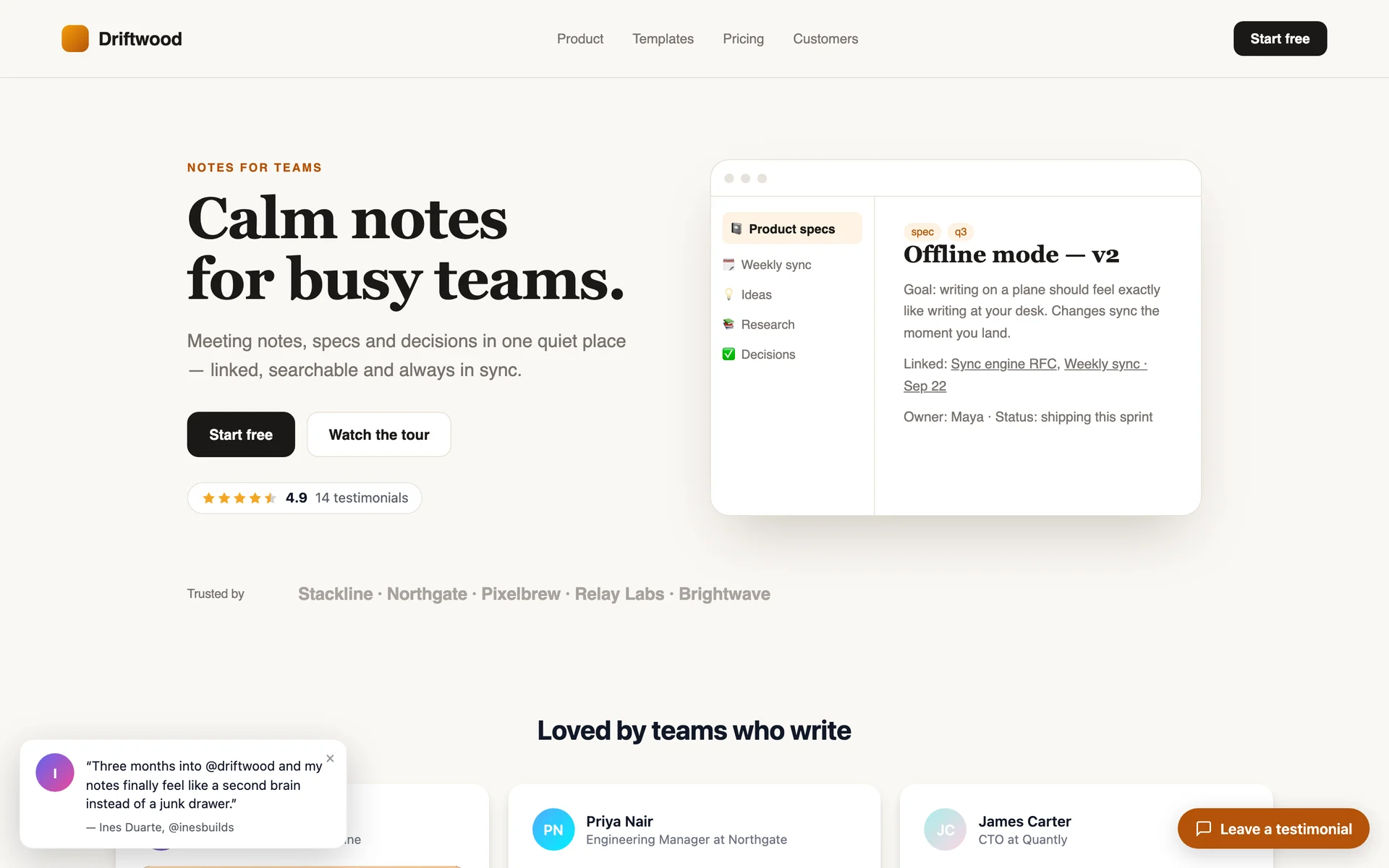
One script tag adds a floating button that opens your form in a pop-up, testimonial popups in the corner, and a “★ 4.9” badge — all switched on from the dashboard.
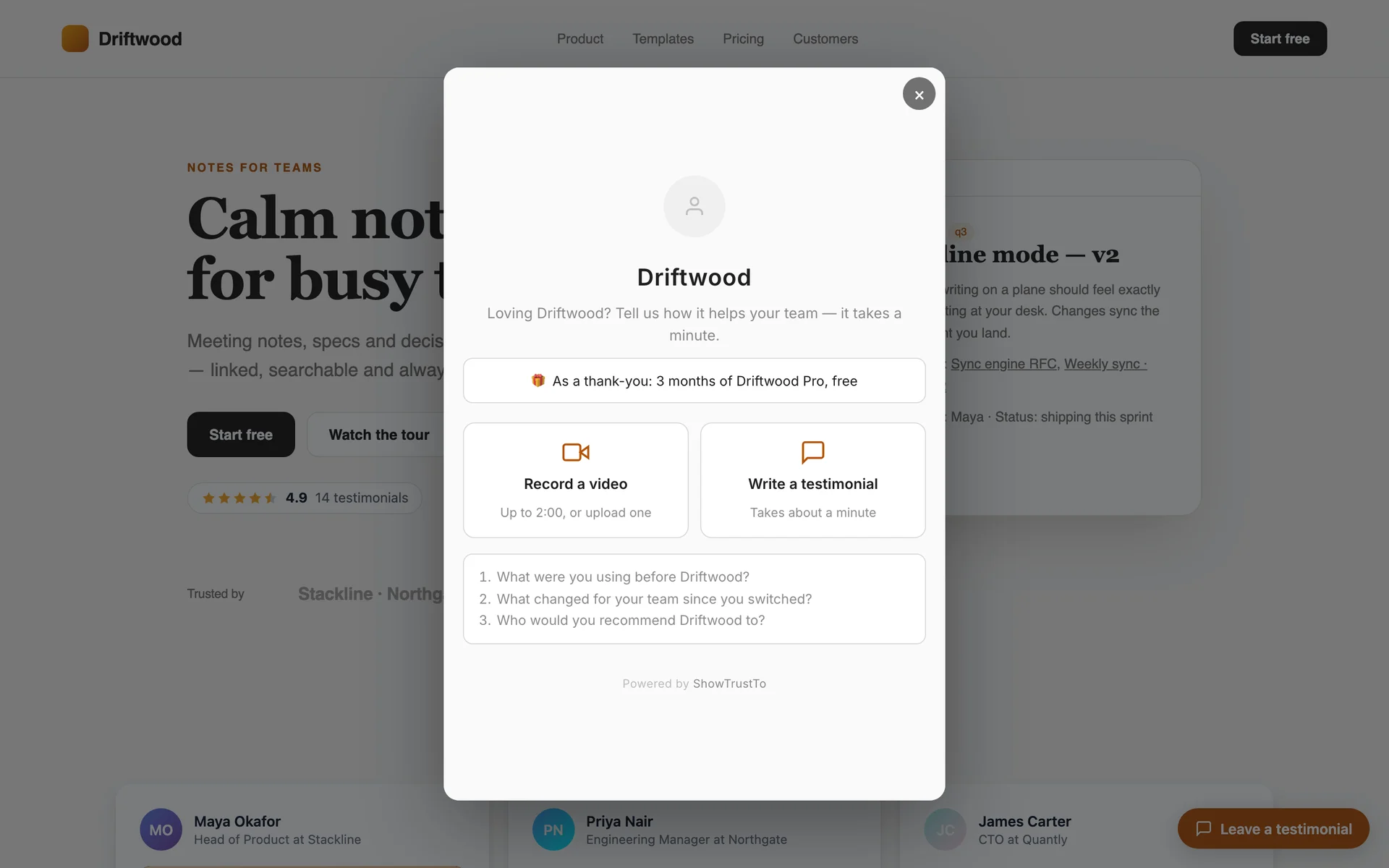
The best moment to ask for a testimonial is while a happy customer is using your product. ShowTrust's on-site button opens your testimonial form in a pop-up right on your site — text, video recording, photo and your thank-you reward included — so nobody has to leave the page.
The same script can show your best testimonials as small popups in the corner of every page, and drop a compact rating badge wherever you want trust at a glance: next to pricing, in the header, at checkout.
The problem
Asking customers to follow a link to another site loses most of them. And the social proof you've collected sits on one page, while visitors make decisions on all the others.
How it works
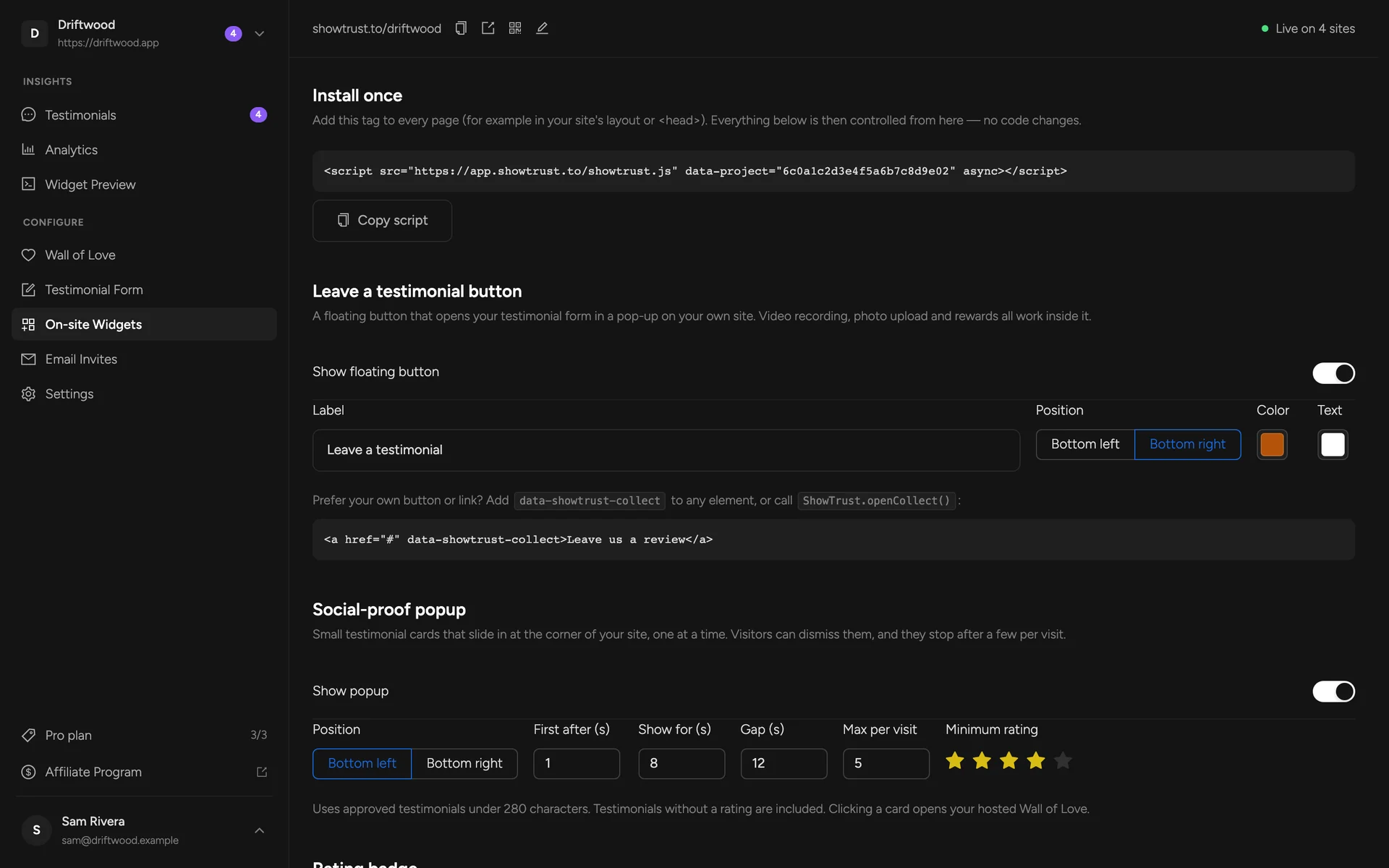
Add one script tag
Paste it into your site's layout once. It loads after your page and never blocks rendering.
Switch on what you want
Turn on the floating button, the popup and the badge in On-site Widgets — label, colors, corner and timing included.
Or wire your own
Add data-showtrust-collect to any button or link, or place a badge with one <div>.
What you get
The form opens in a pop-up on your site — video recording works inside it
Use a floating button, or turn any link or button into one
Social-proof popups with your approved testimonials, dismissible and capped per visit
A “★ 4.9 · 128 testimonials” badge that links to your hosted wall
Controlled from the dashboard — no code changes after the first install
Clicks and form opens tracked in Analytics
In the docs:
On-site widgetsFAQs
Will the popup annoy my visitors?
It's designed not to: you choose the delay, how long each card shows and the gap between them, visitors can dismiss it for the rest of their visit, and it stops after a few cards per visit.
Does the button work with video testimonials?
Yes. The pop-up has camera and microphone access, so customers can record right there (video is part of Pro).
Do I need the Wall of Love embed as well?
No — the on-site widgets work on their own, and alongside the wall if you use both.
Related concepts
Related features
A hosted collection page at showtrust.to/your-name
Send one link and let customers leave a testimonial in under a minute — no account, no friction.
A hosted Wall of Love you embed anywhere
Collect your best testimonials into one beautiful wall and drop it on any page with one small snippet.
A public Wall of Love page — no website needed
Every project gets a standalone page at showtrust.to/w/your-name with all your testimonials, ratings and videos, ready to link from anywhere.
Add a Wall of Love in minutes
Collect text and video testimonials, curate the best, and embed them anywhere with one line. Free to start — no card required.