Import testimonials from X, the App Store, CSV — or any text
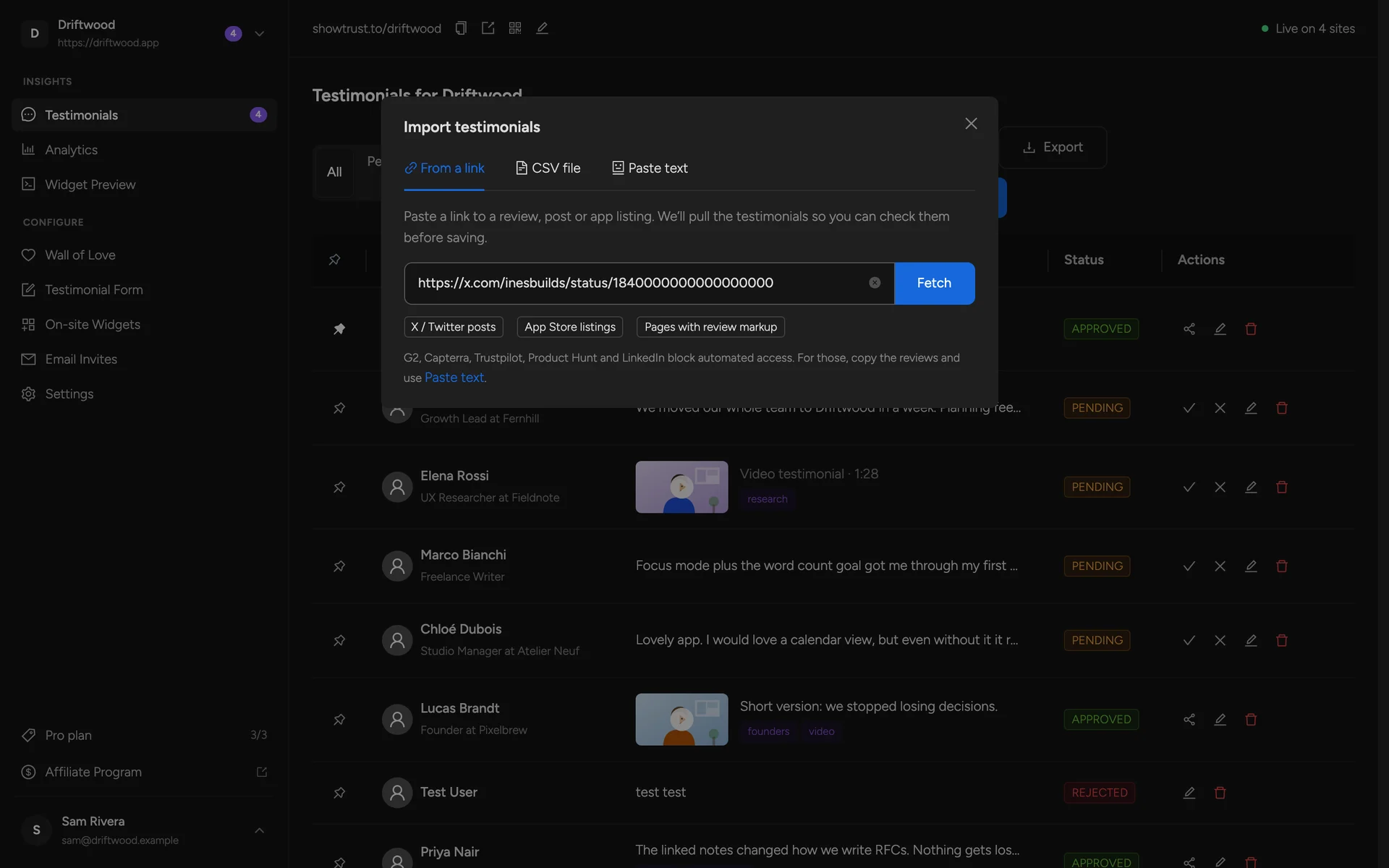
Paste a post or app link, drop in a CSV, or paste any review or email and AI turns it into a testimonial card. You check every row before it's saved.
Some of your best social proof already exists — in tweets, app reviews, review sites and happy customer emails. ShowTrust brings it into one place so it can sit on your Wall of Love next to everything you collect.
Every import goes through a review step: edit the names and wording, drop the ones you don't want, filter by star rating, add tags, and choose whether they go live straight away.
The problem
Praise scattered across platforms is easy to lose and awkward to show. Screenshots look cheap, go stale, and aren't accessible or clickable — and retyping reviews by hand never happens.

How it works
Choose a source
Paste an X post or App Store link, upload a CSV, or paste text copied from any review site, email or chat.
Review the results
Edit names, roles and wording, set ratings, keep only 4★ and up if you like, and add tags.
Import
Save them as approved or pending. Duplicates are skipped, and each card can link back to its source.
What you get
X posts by link, with the author and date
App Store listings by link — the latest reviews in one go
CSV from any tool, with columns matched for you
Paste text from G2, Capterra, Trustpilot, LinkedIn or an email — AI pulls out the name, quote and rating
Optional “via G2” / “via X” source badges on your wall
FAQs
Why paste text for G2, Capterra and Trustpilot instead of a link?
Those sites block automated access. Open the page, copy the reviews, and paste them — AI splits them into separate testimonials for you to review.
Does the imported card link back to the original?
Yes — imported testimonials keep a link to the source post or page, and you can show a “via …” badge on your wall.
What if the original post is edited or deleted?
ShowTrust stores the imported content, so your card stays intact even if the source changes.
Related features
Approve, pin, and edit what ships
Approve what you love, pin your favorites to the top, and fix typos — you stay in charge of what visitors see.
A hosted Wall of Love you embed anywhere
Collect your best testimonials into one beautiful wall and drop it on any page with one small snippet.
A hosted collection page at showtrust.to/your-name
Send one link and let customers leave a testimonial in under a minute — no account, no friction.
Add a Wall of Love in minutes
Collect text and video testimonials, curate the best, and embed them anywhere with one line. Free to start — no card required.