July 5, 2026
·
10 min read
Set Up a Video Testimonial Collection Workflow
A step-by-step guide to building a repeatable video testimonial collection workflow—pick the right collection method, standardize tools and file rules, automate requests and scheduling, capture compliant consent, and run reliable recordings with proven interview prompts.

Collecting video testimonials shouldn’t feel like chasing favors, lost files, and last-minute legal questions. Yet most teams get stuck in one-off requests, inconsistent formats, and awkward interviews that produce unusable clips.
This guide helps you turn testimonials into a workflow you can run every month. You’ll map a simple tool stack, choose the best collection method for each customer, build an email-and-landing-page request engine, lock down consent and access, and use a recording and prompt system that consistently delivers clean, on-message footage.
Workflow Blueprint
Your workflow should feel like a conveyor belt, not a series of favors. Clear handoffs reduce drop-offs, legal risk, and “where is that file?” chaos.
Design one path from request to publish: request, consent, record, review, store, publish, attribute. Then lock roles per stage, so nothing relies on memory.
Core tool stack
Pick tools that remove friction first, then upgrade later. Minimum viable beats “perfect” when you need consistent throughput.
- CRM/email: your existing system
- Scheduling: a simple booking link
- Recorder: built-in meeting recording
- Intake form: one-page form tool
- Storage: shared cloud drive
The best stack is the one your team already opens daily.
Data and permissions
Capture the same data every time, or publishing becomes a legal and editorial scramble. Treat each testimonial like an asset with metadata, not a clip.
At minimum, capture:
- Consent status and timestamp
- Usage rights scope and channels
- Customer name, title, company
- Product and plan/version referenced
- Tags: persona, industry, use case
- Approval status and approver
- Retention and deletion rules
If the release and rights are unclear, you don’t have an asset. You have a liability.
Folder and naming rules
You need retrieval speed under pressure. A consistent structure also makes automation and permissions simple.
- Create folders: /Intake, /Raw, /Edits, /Final, /Transcripts.
- Name files: YYYY-MM-DD_Company_Person_Name_Product_Campaign.
- Tag in metadata: persona, industry, use-case, feature, stage.
- Store approvals with finals: release form and final cut together.
- Archive by quarter: move completed packages to /Archive.
Your future self will thank you when Sales asks in five minutes.
Automation map
Automations should handle reminders and routing, not judgment. Build fallbacks for the two common failures: no-shows and broken recordings.
| Trigger | Action | Owner | Fallback |
|---|---|---|---|
| Form submitted | Create record + tasks | Ops | Manual ticket |
| Meeting booked | Send prep email | Marketing | Same-day resend |
| No-show | Auto-reschedule link | CS | Personal follow-up |
| Recording missing | Request re-record | Producer | Backup audio next time |
If a step can fail, it needs a named owner and a default recovery path.
Choose Collection Method
You’re choosing a tradeoff between customer effort, video quality, and your team’s time. Pick a method you can run every week, not one you hope to run someday.
Use this comparison to match your constraints to the right collection format.
| Method | Customer effort | Output quality | Team capacity |
|---|---|---|---|
| Async self-record | Low to medium | Medium | Low |
| Guided Zoom | Medium | High | Medium |
| On-site shoot | High | Highest | High |
| Hybrid: Zoom + b-roll | Medium | Very high | Medium to high |
Choose the simplest method that meets your “must-have” quality bar, then standardize it.
Build the Request Engine
You need a request engine that runs without heroics. It should ask at the right moments, then route customers into the easiest recording path.
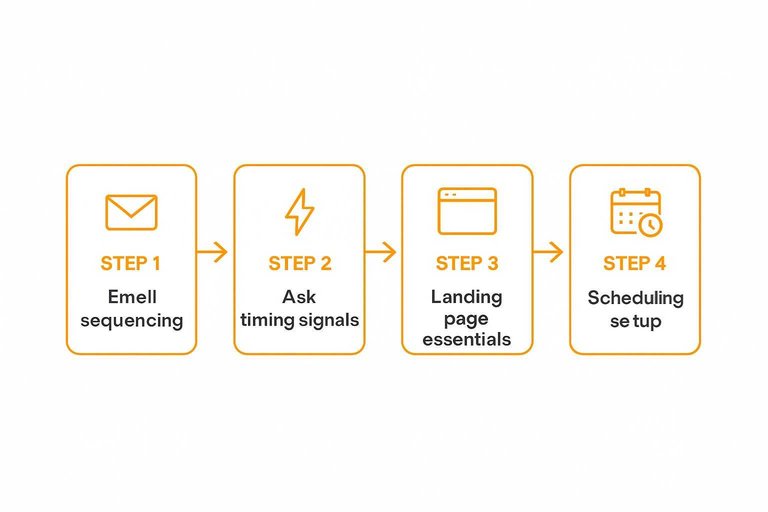
Email sequencing
A short sequence beats a single ask because people miss things. Keep one clear CTA, and use light personalization to make it feel intentional.
If you need a starting point, use these testimonial request email templates and adapt the language to your product and customer segment.
- Send Email 1: celebrate the win, ask for a quick video.
- Send Email 2: nudge with two prompts and the same CTA.
- Send Email 3: reduce friction with “record now” and “schedule” options.
- Send Email 4: add a deadline and reassure about edits.
- Send Email 5: final note from a real person, same CTA.
If your CTA changes, your conversion drops for a dumb reason.
For implementation details, use your ESP/CRM’s personalization tokens to scale light personalization without changing the CTA.
Ask timing signals
Ask when the customer already feels progress. Trigger outreach from events your team can trust.
- Onboarding completed with key steps done
- First value moment reached in-product
- Support ticket resolved with praise
- Renewal confirmed or expansion agreed
- Adoption milestone hit by a core team
If you can’t name the trigger, you’re relying on luck.
Landing page essentials
Your landing page should answer objections fast, then get out of the way. One page. Two paths. No wandering.
Include these blocks, in order:
- Why you’re asking, in one paragraph
- What you’ll use it for, in bullets
- 1–2 example videos or scripts
- Time required and format options
- Privacy notes and approval process
- Consent checkbox with clear language
- Two buttons: “Record now” and “Schedule a call”
When the page feels safe, customers stop overthinking and start recording.
Scheduling setup
Scheduling should feel effortless for them and predictable for you. Configure it once, then reuse the same rules everywhere.
- Set availability windows and add buffers before and after calls.
- Add reminders by email and calendar, with a single reschedule link.
- Create routing rules by segment, product, or region.
- Customize the invite with recording expectations and a simple agenda.
- Add a confirmation page that links to your recording prep guide.
If the invite is vague, you’ll get awkward calls and unusable footage.
Consent and Compliance
You need consent that stands up months later, not a scrambled email thread. Build one repeatable system, then reuse it every time—especially if you’re planning to publish quotes or videos as social proof in a place prospects can easily verify (for example, a public testimonials page like the one ShowTrust can generate).
Release form tooling
Pick tooling that makes signing easy, and makes auditing boring.
- Use an e-sign tool with exportable audit logs
- Embed the release in your booking or upload page
- Attach the release link in every request email
- Include scope, channels, duration, revocation process
- Capture signature, date, and identity fields
If you collect testimonials via a shareable form (like ShowTrust’s), keep the release step just as standardized: the faster you can pull proof of consent for any published testimonial, the less risk you carry later.
If your release can’t be found in 10 seconds, it will be “lost” when you need it.
Consent capture flow
Consent breaks when the moment is unclear. Decide the exact point you collect it for each testimonial method.
- Before booking: require a signed release in the scheduling flow.
- Before recording: confirm consent in writing for live-call recordings.
- On record: ask for verbal permission at the start of filming.
- After capture: store the release beside the raw file and transcript.
- Before publishing: do a final consent check for new channels.
If you’re turning customer feedback into public trust signals (a widget, a wall, or a case-study quote), make “before publishing” a real gate: approved testimonial + matched consent record. Treat consent like a file dependency. No release, no edit, no post. This is essentially what review gating means in practice.
Security and access
Legal usability depends on who can access what, and when. Lock down storage so you can prove chain-of-custody later.
Use least-privilege folders for raw footage, edits, and exports. Grant time-bound access to vendors, and remove it after delivery. For PII, store it separately from video files, avoid sharing full customer records, and follow your customer’s restricted-policy requirements. For minors, don’t record or publish without a guardian’s written release and a stricter review step.
If you manage testimonials in a centralized system, apply the same principle there: only the people approving, curating, or publishing should have access, and keep identifiable customer details separate from the public-facing display.
Tight access controls aren’t bureaucracy. They’re your “nothing weird happened” receipt.
Recording Setup
Your workflow breaks or scales at the recording layer. Standardize the experience so every customer sounds clear, looks consistent, and finishes the submission.
Async recording kit
Async prompts work when they feel fast and safe. Reduce uncertainty, reduce drop-offs.
- Write 3–5 prompts, one idea per question, in plain language.
- Set clear limits per answer, and show a visible countdown.
- Define retake rules upfront, including how to review takes.
- Add an upload confirmation plus a “what happens next” screen.
- Send an automatic receipt email with a copy of their answers.
Make the end feel inevitable. Confusion is the real abandon button.
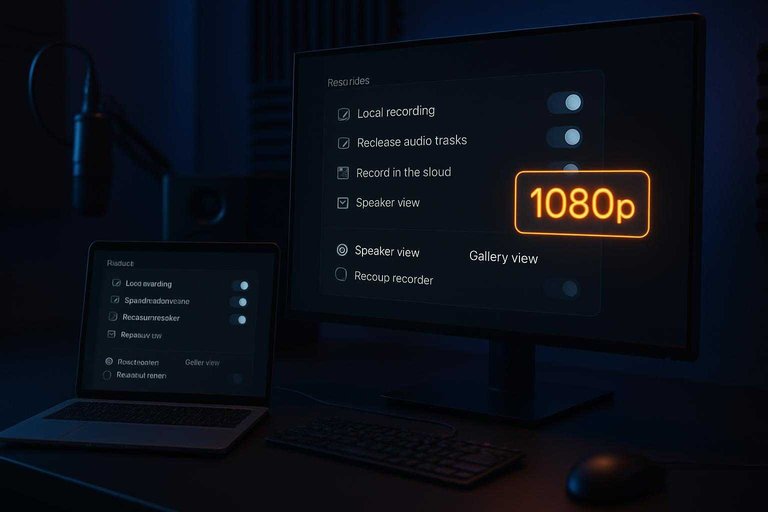
Live recording template
Live calls drift without defaults. Lock the settings so every session is repeatable.
- Enable local recording when possible
- Record separate audio tracks
- Set video to 1080p
- Capture speaker and gallery views
- Run a backup recorder
Treat live sessions like a shoot. One missed toggle can ruin a great story.
Environment checklist
Give customers a two-minute setup that improves results without feeling fussy. Keep it simple, and assume they are busy.
Use a window or soft lamp facing you. Use any decent headset mic. Frame mid-chest to head with a little headroom. Pick the quietest room, and close the door. Look at the lens, not your own face.
Small prep beats heavy editing. Every time.
Failure recovery
Failures happen in the middle, not the beginning. Decide your recovery path before you need it.
- If audio glitches, switch to phone audio and keep recording video.
- If bandwidth drops, turn off participant video and continue on audio.
- If a file corrupts, pull the backup recording immediately.
- If both fail, reschedule with a shorter agenda and fresh link.
- Log the incident and update your template defaults.
Your calm plan becomes their confidence. That’s what gets you the second take.
Interview and Prompts
A repeatable question set keeps testimonials specific, quotable, and easy to run. Your job is to guide the story without writing it for them.
Question library
Use categories so every interview hits story, proof, and recommendation.
| Category | Goal | Prompt | Clip type |
|---|---|---|---|
| Before/after | Show contrast | “What changed for you?” | Transformation |
| Problem | Add stakes | “What was breaking?” | Pain point |
| Selection criteria | Explain choice | “Why pick us?” | Differentiator |
| Implementation | Make it real | “How did rollout go?” | Process |
| Measurable change | Add proof | “What improved, exactly?” | Proof point |
| Recommendation | Earn trust | “Who is it for?” | Endorsement |
If you can’t tag a question to a clip type, it won’t edit cleanly.
Facilitation tactics
Crisp soundbites come from gentle pressure toward specifics. You’re mining for nouns, numbers, and moments.
Ask “Which part?” and “Give me an example” after broad claims. Then pause. Silence forces detail.
Rephrase their best line back to them and ask for a cleaner version. Request a one-sentence take, but never feed the sentence.
Time-boxed script
Run a tight agenda so you get usable clips without exhausting the customer.
- 0:00–2:00 Warmup: role, context, and comfort check.
- 2:00–6:00 Story: problem, before state, and trigger moment.
- 6:00–9:00 Proof points: what changed, how you know.
- 9:00–11:00 Objections: hesitations and why they didn’t matter.
- 11:00–13:00 Pull quotes: one-sentence versions of best lines.
- 13:00–15:00 Closing consent: usage, approvals, and next steps.
Time-boxing isn’t rushed. It protects the clip quality.
Launch Your First Repeatable Testimonial Sprint
- Build the foundation: confirm your core tool stack, permissions, and folder/naming rules, then document the automation map in one page.
- Pick one collection method to start (async or live) and publish a single landing page with clear examples, FAQs, and a scheduling/recording path.
- Turn on the request engine: write a short email sequence tied to timing signals (post-win, renewal, support resolution) and route positive replies into booking.
- Run three recordings, capture releases during the flow, store assets in the standardized structure, and review the results to tighten prompts, setup, and handoffs before scaling.
Frequently Asked Questions
- How do I collect video testimonials at scale without annoying customers?
- Limit asks to key moments (after onboarding success, renewal, big milestone) and keep each request to one clear action with a short deadline. Rotate a small pool of prompts and follow up once with a “reply yes/no” option to reduce friction.
- What’s the best way to store and organize video testimonials so I can reuse them later?
- Save originals in a central library (Drive/Dropbox or a DAM) with a consistent filename and tags for customer name, industry, use case, and claim type. Keep a spreadsheet or CRM field that links the file, release status, and where each clip is published.
- How do I measure whether my video testimonial collection workflow is working?
- Track request-to-submission rate, time-to-approval, and publish rate, then tie published testimonials to downstream metrics like demo requests, trial starts, or sales-assist usage. Review drop-off points (invite click, recording start, submission) to see where customers get stuck.
- Can I use video testimonials in paid ads, email, and landing pages, or do I need separate permissions?
- Use separate, explicit consent for each distribution category (website, paid social/search ads, email, partner co-marketing) so you don’t overreach your original release. Store proof of consent alongside the asset so it’s easy to audit later.
- Is there a tool that helps me collect and display video testimonials without building everything from scratch?
- Yes—tools like ShowTrust can centralize collection via a shareable link, manage approvals, and publish testimonials through embeddable widgets or a public wall. This is useful when you want a lightweight system that ties collection to on-site social proof quickly.
Turn Testimonials Into Trust
Once your workflow is in place, the real challenge is collecting videos consistently, keeping everything organized, and publishing proof fast without extra manual work.
ShowTrust gives you a simple way to request video testimonials, approve and curate them, and embed a public wall or widgets on your site to lift conversions.
Written by
ShowTrust
Notes from the ShowTrust team on collecting testimonials and building authentic social proof.
Share: