June 2, 2026
·
Updated June 3, 2026
·
6 min read
Testimonial Request Email Templates for Beginners
An explainer for beginners on requesting customer testimonials the right way—what qualifies as a testimonial, when to ask, how to reduce effort with clear prompts, how to structure subject lines and consent, and ready-to-use templates for common scenarios plus plug-and-play question prompts.

Asking for a testimonial can feel awkward: you don’t want to bother customers, and you definitely don’t want to sound like you’re begging. But if you wait too long—or ask too vaguely—you’ll get silence or a one-line reply you can’t use.
This explainer shows you how to request testimonials confidently and respectfully. You’ll learn when to send the email, what to include (and what to avoid), and how to give customers easy “fill-in-the-blank” options. You’ll also get templates for common situations and prompts that produce usable quotes.
The core idea
A testimonial is a short, credible statement from a real customer about the result or experience they had with you. They matter because they reduce perceived risk fast, especially when you are new. Simple rule: ask right after you deliver value, and make the reply almost effortless.
What counts as one
A testimonial is a customer’s words, tied to a specific experience, and signed with a name and context. A review is usually public and scored, while a case study is longer and structured around a narrative. For beginners, aim for two to four sentences that sound human and concrete.
When to ask
Pick moments where value is obvious and emotion is still warm.
- After an onboarding win
- After a support issue resolves
- After a renewal or upgrade
- After a positive reply email
- After delivery confirmation
Ask at the peak, not in the post-mortem.
Make it easy
Lower friction by doing the thinking for them, without putting words in their mouth. Give two or three prompts, make one clear ask, and let them respond by hitting reply. One screen. One action.
— Section 1: Before you email —
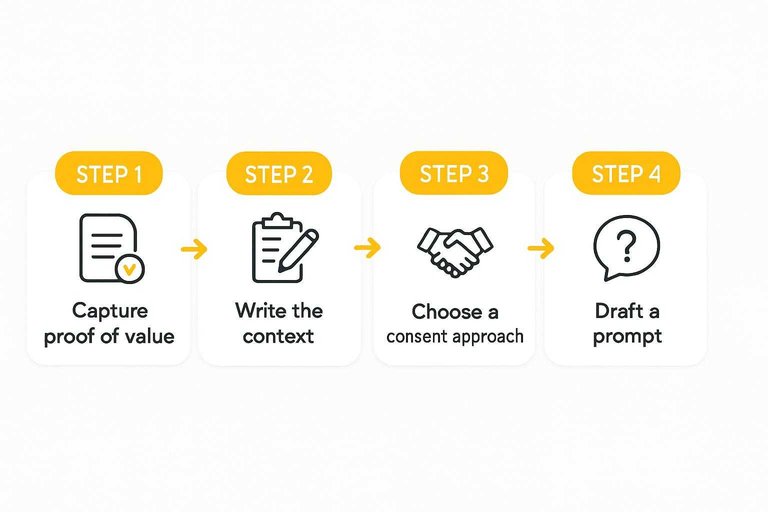
Prepare a few basics before you ask. It makes your request easy to say yes to.
- Capture proof of value: results, deliverables, or a clear before-and-after.
- Write the context: what you did, for whom, and what problem you solved.
- Choose a consent approach: name, title, photo, and approval process.
- Decide the placement: website, proposal, social post, or review platform. If you’re publishing a dedicated proof page, see how a testimonials landing page builds trust.
- Draft a prompt: 2–3 questions they can answer fast.
Do this first, and your email reads like a favor, not a favor request.
Anatomy of a request
A testimonial email works when it feels specific, light, and safe to say yes to. Build it from a few repeatable parts, and you can assemble any template fast.
Subject lines
Use subject lines that signal gratitude, low effort, and a clear reason. Beginners win by picking one pattern and sticking to it.
- Thank you for your help
- Quick favor? One sentence
- About the [specific win] you got
- Are you open to a short quote?
- 2-minute request, if you can
- Can you reply with 3 words?
If your subject implies “easy,” your reply rate usually follows.
Opening and context
Anchor your opener to the exact moment they got value, not your general service. Name the trigger like a launch, a deliverable, or a support thread, then confirm you’re emailing the right decision-maker.
Imagine: “After your onboarding call last Tuesday, you mentioned the dashboard finally made sense.” Then add: “Are you still the best person to quote, or should I ask someone else?”
Specific context proves you’re not blasting a list.
The ask options
Offer one clear path, then two backups for different personalities. You’re reducing friction, not negotiating.
- Reply by email with 1–2 sentences (about 2 minutes).
- Fill a short form with 3–5 questions (about 5 minutes).
- Do a 10-minute call and I’ll draft it for approval (10 minutes).
When you provide options, you stop losing people to “I’ll do it later.”
Consent and usage
Ask for permission in plain language, and separate each permission so it’s easy to approve. Give them a clean way to say “yes to X, no to Y.”
Use wording like: “Can I share your quote on our website and social posts?” and “May I include your name and title?” Add: “Is it okay to use your company name or logo?” Then: “I may lightly edit for clarity, without changing meaning, and I’ll send the final version to approve.”
Consent turns a quote into an asset you can actually use.
Templates by situation
Use these when you’re starting from zero and need words that won’t feel awkward. Each one is short, specific, and built to get a quotable line. If you want to customize these fast, try this testimonial request email generator.
Post-purchase template
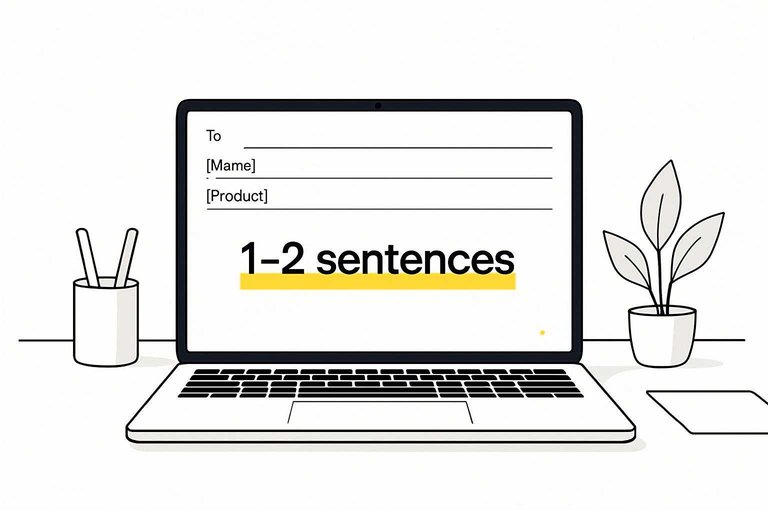
Subject: Quick question about your [Product]
Hi [Name],
Thanks for your purchase of [Product] on [Date]. What made you choose it, and what are you hoping it helps you do?
If it’s going well, could you reply with 1–2 sentences I can quote as a testimonial? Please include “Yes, you can quote me” if you’re okay with me using your words, plus your preferred name/title.
Thanks,
[Your name]
After support win
Subject: Glad we got that fixed
Hi [Name],
Thanks for working through the [issue] with us. I’m happy it’s resolved.
Could you share one sentence on the outcome now that it’s fixed? If you’re comfortable, reply with “Yes, you can quote me” and how you’d like your name shown.
Appreciate it,
[Your name]
B2B project wrap-up
You want their words, not your marketing copy. Ask for the simplest story arc.
- What problem were you trying to solve before we started?
- What did we do that mattered most?
- What changed for you after delivery?
- What should we credit under your quote: name, role, company?
When they answer those four, you can publish without guessing.
SaaS onboarding milestone
Trigger this right after their first clear success moment. Keep it lightweight.
- Quick question: what did you just accomplish with [Product]?
- What was frustrating before you set it up?
- What’s the main benefit you expect going forward?
- Optional prompts: time saved, errors reduced, clearer workflow
Ask while they still feel the “oh, it works” moment.
Referral-style ask
Combine the ask, but keep the referral optional so it stays low pressure.
- Send a short note asking for one sentence about their result.
- Ask for permission to quote, plus name and role.
- If they say yes, ask if they know one peer who’d benefit.
- Offer a two-line intro they can forward unchanged.
- Thank them either way and stop there.
If the testimonial lands, the referral often follows naturally.
LinkedIn DM version
Hey [Name] — quick one.
Now that you’ve used [Product/service] for [use case], what’s the biggest difference you’ve noticed?
If you reply, can I quote your words as a testimonial on our site? If yes, tell me how to attribute it.
Prompts that work
You need prompts that pull out specifics, not praise. Aim for concrete before-and-after details without putting words in their mouth. If you want more options beyond the examples below, try this testimonial question generator.
| Goal | Prompt | Best for | Avoids |
|---|---|---|---|
| Define the problem | “What were you trying to fix?” | Context | Vague compliments |
| Capture the starting point | “What was happening before?” | Baselines | Overclaiming |
| Pinpoint the change | “What’s different now?” | Results | Feature lists |
| Identify the trigger | “Why did you choose us?” | Differentiation | Forced praise |
| Get a quotable moment | “Any moment you thought ‘this works’?” | Anecdotes | Generic adjectives |
When they can answer these in one pass, you’ll get a testimonial you can actually publish.
Follow-ups (without being annoying)
Most beginners don’t miss testimonials because their first email was bad. They miss them because they never follow up, or they follow up in a way that feels like pressure.
A simple follow-up system keeps it friendly and increases replies without burning goodwill.
When to follow up
Keep your timeline light and predictable.
- If they’re a fast responder normally: a gentle nudge after a few days.
- If they’re busy or you’re in B2B: one nudge the following week.
- After that: one final “closing the loop” message, then stop.
If you have to chase more than that, the problem is usually timing (you asked too late) or friction (your ask is too hard).
What to say (copy/paste nudges)
Use replies to the same email thread so they have the context.
Nudge #1 (simple bump)
Subject: Re: quick quote?
Hi [Name] — quick bump in case this got buried.
If you’re still open to it, a 1–2 sentence reply is perfect. Totally fine if now isn’t a good time.
Thanks,
[Your name]
Nudge #2 (make it even easier)
Subject: Re: one sentence?
Hi [Name],
No rush — if it helps, you can just reply with one of these:
- Before [Product/service], we… Now we…
- The best part so far is…
- I’d recommend it because…
If you’d rather not, just tell me and I’ll close the loop.
Thanks,
[Your name]
Final follow-up (permission to stop)
Subject: Re: closing the loop
Hi [Name],
Last note from me on this. If you’re up for it, reply with a short line and I’ll send the final quote for approval.
If not, no worries at all — I’ll stop bugging you.
Appreciate you either way,
[Your name]
If they say “sure” but don’t write anything
Don’t lose the yes to blank-page friction. Offer to draft it.
Reply with:
“Happy to draft something based on what we did together. Quick check: would you rather I focus on (1) the result, (2) the experience working together, or (3) the time saved? I’ll send 2 options to approve.”
If they give you a vague compliment
“Great product!” is nice, but it won’t convert. Ask one clarifying question.
Examples:
- “Thank you — what were you doing before, and what’s different now?”
- “What’s one specific thing that got easier?”
- “What would you tell a friend who’s considering it?”
One extra question often turns fluff into something publishable.
When not to follow up
Don’t chase if they ignored your last few messages, asked to pause communications, or the relationship feels tense. A testimonial is only useful if it’s freely given—and you want them to feel good about saying no.
Send the request while the win is fresh
- Pick one recent “success moment” (purchase, support resolution, project wrap-up, onboarding milestone) and email within a few days while details are clear.
- Use a simple structure: quick context → specific ask → 2–3 easy response options (short quote, answers to prompts, or a quick call).
- Include consent language and intended uses (website, ads, social), and offer a light edit/approval step before publishing.
- Copy a template from the closest situation, personalize one sentence, and hit send—then follow up once with a friendly reminder if they don’t reply.
Frequently Asked Questions
- Should I ask for a testimonial by email or use a form link instead?
- Use email to personalize the ask and reduce hesitation, then include a short form link if you want a clean, copyable response. A form is best when you need structure (name, role, permission, headshot) without back-and-forth.
- How many follow-up emails should I send after a testimonial request email template?
- Send one polite follow-up, and a second only if you have a strong relationship or a clear reason to check back. Keep follow-ups shorter than the original and make replying easy by quoting their last message and offering a quick prompt.
- Can I offer a discount or gift card in a testimonial request email?
- Yes, but disclose it clearly and avoid language that suggests you’re paying for a positive review. If the testimonial will be public (especially for regulated industries), check your platform and legal guidelines before offering incentives.
- What should I do if a client says yes but keeps delaying the testimonial?
- Offer a “reply with 2–3 sentences” option and propose a specific deadline plus a one-click approval process. You can also draft a short testimonial from their results and ask them to edit/approve it in their own words.
- How do I know if my testimonial request email template is working?
- Track reply rate, completed testimonials, and how many are publishable without rewrites, using your email tool plus a simple spreadsheet or CRM. If replies are low, test a shorter subject line, fewer questions, and a clearer time-to-complete (for example, “2 minutes”).
Turn Requests Into Social Proof
Writing a solid testimonial request email template is only half the job—collecting responses, organizing them, and displaying them consistently is where most teams stall.
ShowTrust helps you request testimonials with a shareable link, curate approvals, and publish them as embeddable widgets or a public wall that boosts credibility and conversions.
Written by
ShowTrust
Notes from the ShowTrust team on collecting testimonials and building authentic social proof.
Share: